Features
Licensing
Downloads
Pricing / Order Form
Video Tutorials
|
|
 |
Free to Try - the full install can be downloaded - click the Downloads link on the left (some functionality disabled until licensed)
The User Manual can be downloaded from the Downloads page (link on the left)
|
User Interface |
|
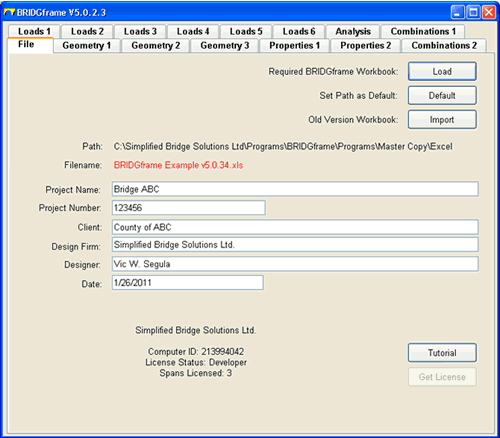
File
- user interface is a Microsoft Visual Basic tabbed dialog with
15 tabs including 3 for Geometry, 2 for Properties and 6 for Loads
- the dialog is filled from the Workbook identified in the Load
button procedure
- path of file may be defaulted to simplify loading of files
- analysis and output is implemented on Excel Workbooks, one per
project
- older version workbooks can be easily imported into the current version
Video Tutorial |
 |
| |
|
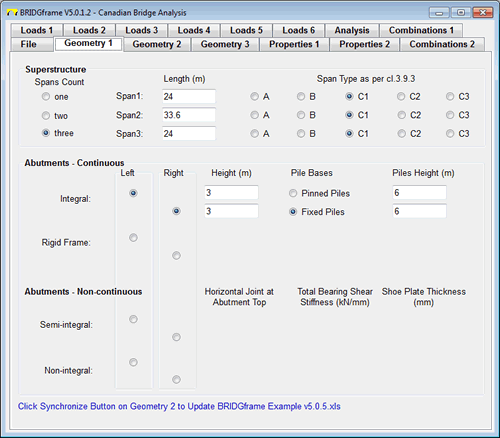
Geometry 1
- used to specify Superstructure and Abutment design parameters
- each span can be entered as an independent Superstructure Type
- Continuous or Non-continuous Abutments are defined by simple selection
- the Geometry 2 tab is for Pier design parameters
- the Geometry 3 tab is for Live Load Girder Distribution parameters
Video Tutorial |
 |
| |
|
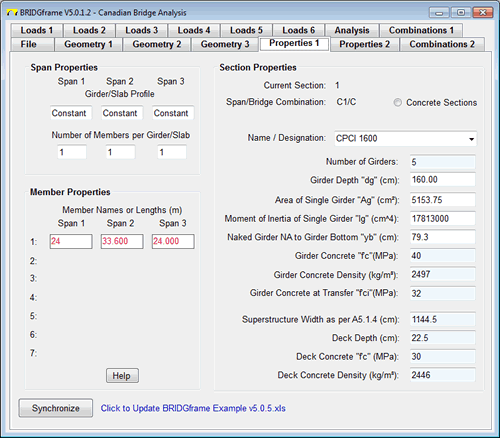
Properties 1
- used to input the Superstructure design parameters
- different design parameters for each span may be specified
- spans with identical design parameters may be grouped to simplify data entry
- the Properties 2 tab is for the properties of the Abutments and Piers
Video Tutorial |
 |
| |
|
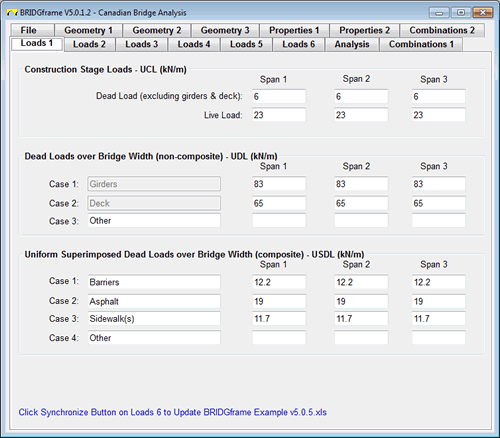
Loads1
- used to input Construction Stage Loads, Dead Loads, and Superimposed Dead Loads
- only one entry required to generate pattern loading during construction
- pre-designated typical load cases that may be edited
- Loads 2: - Load Case Grouping Alternatives (enables designs up to 30 axles) and associated Truck Spacing
- Loads 3: - Truck Loads per Lane and Axle Spacing
- Loads 4: - Thermal Data for Superstructure and Soil Pressure Data
- Loads 5: - Shrinkage & Creep and Prestressing Creep
Video Tutorial |
 |
| |
|
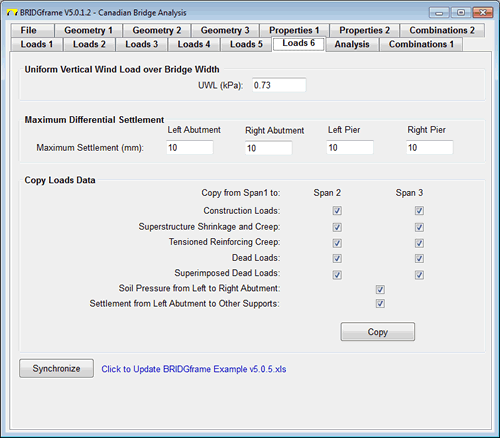
Loads 6
- used to input Vertical Wind Pressure and Differential Settlement Loads
- used to simplify data entry by copying Loads from span 1 to remaining spans if applicable.
- Vertical Wind Load over each span based on deck or superstructure width is automatically generated
- only single load entries required for Vertical Wind and Differential Settlement; generation of pattern loads is performed automatically
Video Tutorial |
 |
| |
|
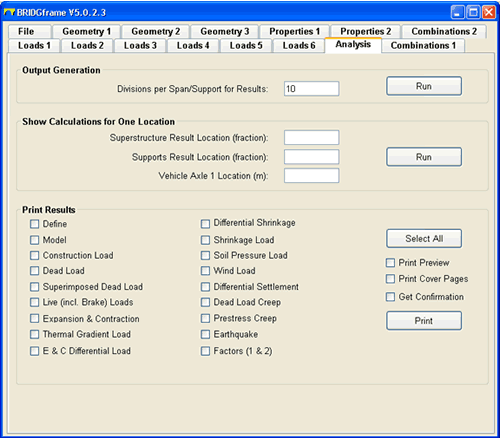
Analysis
- used to specify the number of increments analyzed and reported per span and support
- used to view calculated values for locations between the increments reported in the results tables
- used to simplify printing of the results tables (up to 135)
|
 |
| |
|
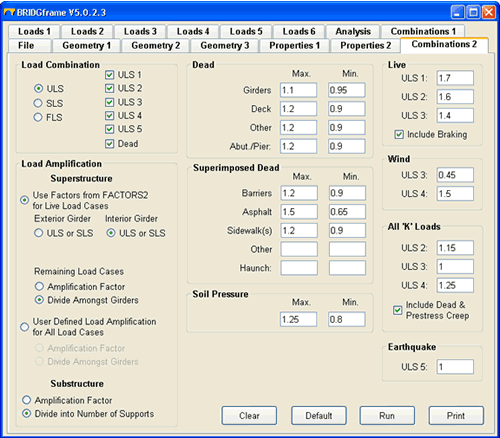
Combinations 2
- calculates max/min combination envelope results for all comparable limit states conditions without generating individual combinations first
- user defined or CSA-S6-S14 load combinations
- user defined or CSA-S6-S14 load amplification (distribution) to Exterior and Interior design strips or girders
- user defined distribution of loads to substructures
- generates combination for loads on naked girder or composite girder using one model
- the Combinations 1 tab gives the user total control to calculate any individual combination of interest
Video Tutorial
|
 |
| |
|
User Interface
Licensing
Downloads
Pricing / Order Form
|
|